
CreatiumPresented with Training Industry
For Training Industry webinar attendees

Turn your content into an AI coach

You watched one get built from a single training asset. Now build yours: leave your work email and we’ll set up a personalized build session for your team.

Features

Designed for interaction

Coaching, multimedia, simulations and roleplays: the reps that turn watching into doing.

RoleplaysRehearse the conversation out loud, as many times as it takes.ReelsShort, cinematic videos that make an abstract concept visual and give the lesson a moment of delight.ProjectsProject-based scenarios, games and assessments. Decide first, find out after.Scenario-based questionsA question with a real decision in it, then the answer and why it was the right one.


Talk to us

How you'll build it

Everything you need to build learning that sticks. Build playful simulations, roleplays that push back, video reels, knowledge checks, and more. Separate, or all in one course.

01 / 04
01

Bring what you already have

A PDF, a deck, a recorded session, a policy document, or just a brief.

01

Bring what you already have

A PDF, a deck, a recorded session, a policy document, or just a brief.

02

Build it with AI, not from scratch

Avatars, voice, slides, graphs and branching scenarios are generated from that brief, so a first draft takes a fraction of the usual time.

03

Review it together

Your team reviews and edits in real time. Dozens of instructional designers can work at once.

04

Publish where people already learn

Publish direct or export to your LMS, SCORM-compliant and with progress tracking.

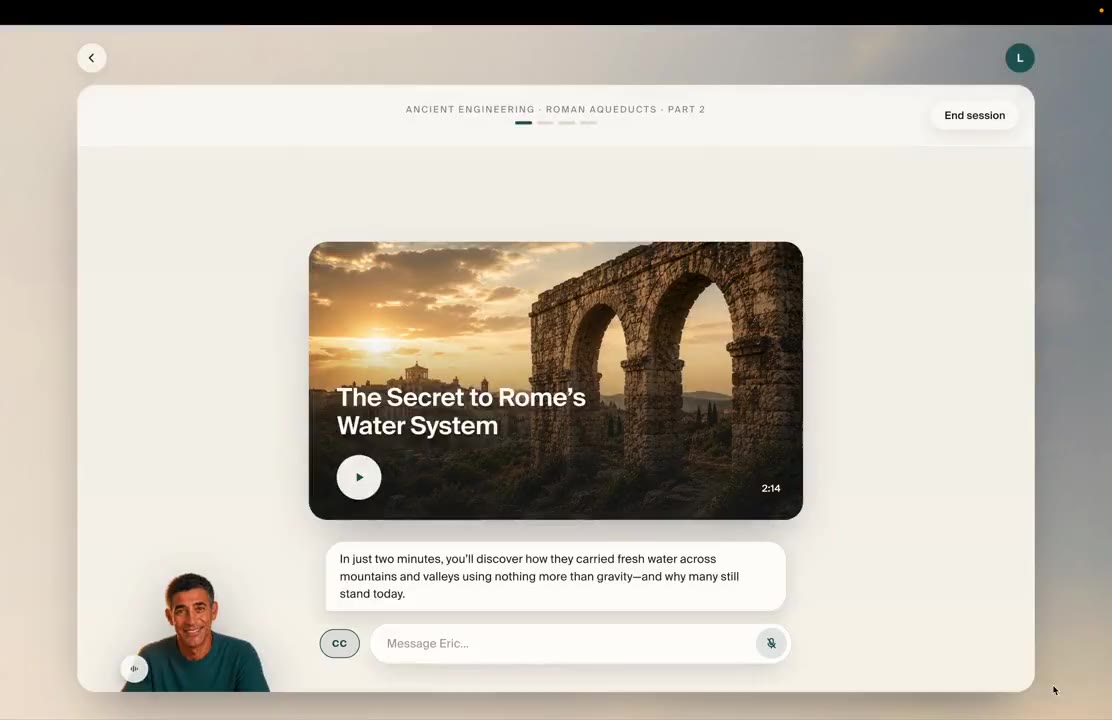
Create an interactive video
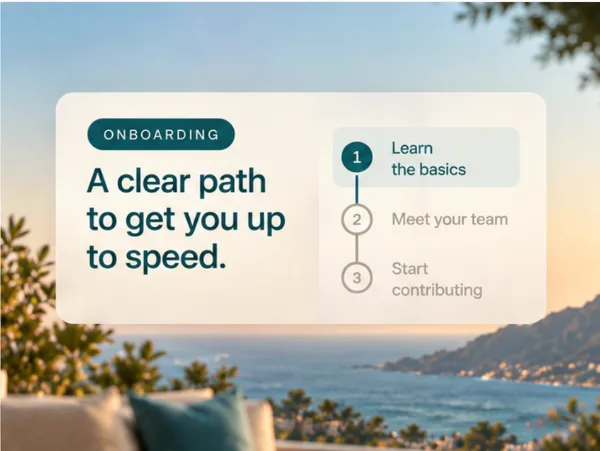
Create an interactive onboarding
Onboarding document.pdf· 2.4 MB
Upload files
Your files
Onboarding document.pdf
Team handbook.docx
Benefits overview.pptx
Math•••Create lesson
Suggestions:Delivering feedback that landsDelegating with clarityNavigating team conflict
Interactive onboarding training
CommentsLDExport
0:01 / 0:10Script
Welcome to your first 30 days at the company. Over the next few minutes, we'll walk through who you'll meet and how your first week works.
Interactive onboarding training
CommentsLDExport
JG
JGJanice G.now
Try “Your first month”
Comment
0:01 / 0:10Script
Welcome to your first 30 days at the company. Over the next few minutes, we'll walk through who you'll meet and how your first week works.
Interactive onboarding training
CommentsLDExport
Download as SCORM
Copy link
Copy iframe
0:01 / 0:10Script
Welcome to your first 30 days at the company. Over the next few minutes, we'll walk through who you'll meet and how your first week works.
The evidence

The research behind it

28%
greater test score improvement with our interactive coach
+0.48
effect size, above the +0.37 average for one-to-one human tutoring

Read the researchSee the case studies

The session

What the session covered

How Harvard Business Impact Builds AI Coaches From Existing Content

Tuesday, October 27, 2026 · 1:00 to 2:00 PM ET · Hosted by Training Industry

A long-time client told Harvard Business Impact its leaders would no longer read a 40-page case study, but still needed its lessons. See how HBI worked with Creatium to turn Harvard Business Review cases into an AI coach leaders practice with.

  • Jody Gross, Harvard Business ImpactJody GrossHarvard Business Impact
  • Maria Walley, Co-Founder and VP of Content, CreatiumMaria WalleyCo-Founder and VP of Content, Creatium
  • Maddy Solomon, Partnerships Manager, CreatiumMaddy SolomonPartnerships Manager, Creatium
  1. 01

    Turn one training asset you already own into an AI coach, with no pre-reading.

  2. 02

    Replace knowledge checks with a reflection-and-practice step that adapts to each learner.

  3. 03

    Four questions to ask any AI coaching vendor, from learner data and reporting to transparency and accuracy.

  4. 04

    Build an AI coach for the conversation your team dreads.

Bring a brief. Leave with a coach.

A working session with our team, on your own material.